
AI is moving fast, and most people no longer want a chatbot that only talks.
What they really want is an AI assistant that can help them do real work: browse the web, monitor updates, run tasks automatically, and send results back when needed.
That is exactly where AI agents are becoming interesting.
The problem is that most AI agent tools are still too hard for ordinary users. They often rely on command lines, complex setup steps, configuration files, and a workflow that feels built for engineers only.
YourClaw Pro takes a different approach.
It turns powerful AI agent capabilities into a visual desktop app that is much easier to use. You do not need to code, manage a complicated environment, or deal with endless setup files. You install it like a normal app, follow a simple setup flow, and start using AI on your own computer.
What Is YourClaw Pro?
YourClaw Pro is a visual desktop client for running and managing AI agents.
Instead of forcing users to work in a terminal, it gives you a clean interface to configure models, set up automations, install skills, and connect messaging channels. In simple terms, it gives AI agents a control panel that normal users can actually understand.
It runs on your own computer and helps make advanced AI workflows feel much more accessible.

Why People Like It
YourClaw Pro is designed to remove the most frustrating parts of getting started with AI agents.
Instead of feeling like an engineering project, it feels much closer to using a desktop productivity tool.
- chat with AI in a familiar interface
- create scheduled tasks visually
- add new capabilities through skills
- connect channels like Telegram, Discord, WhatsApp, WeCom, WeChat, and Feishu
- let AI send updates automatically without manual work
Getting Started Is Simple
Installing YourClaw Pro is straightforward. It supports Windows and macOS, and the setup flow is designed to feel like installing any normal desktop application. No terminal. No environment variables. No complicated commands.
When you open it for the first time, a guided setup walks you through the process step by step.
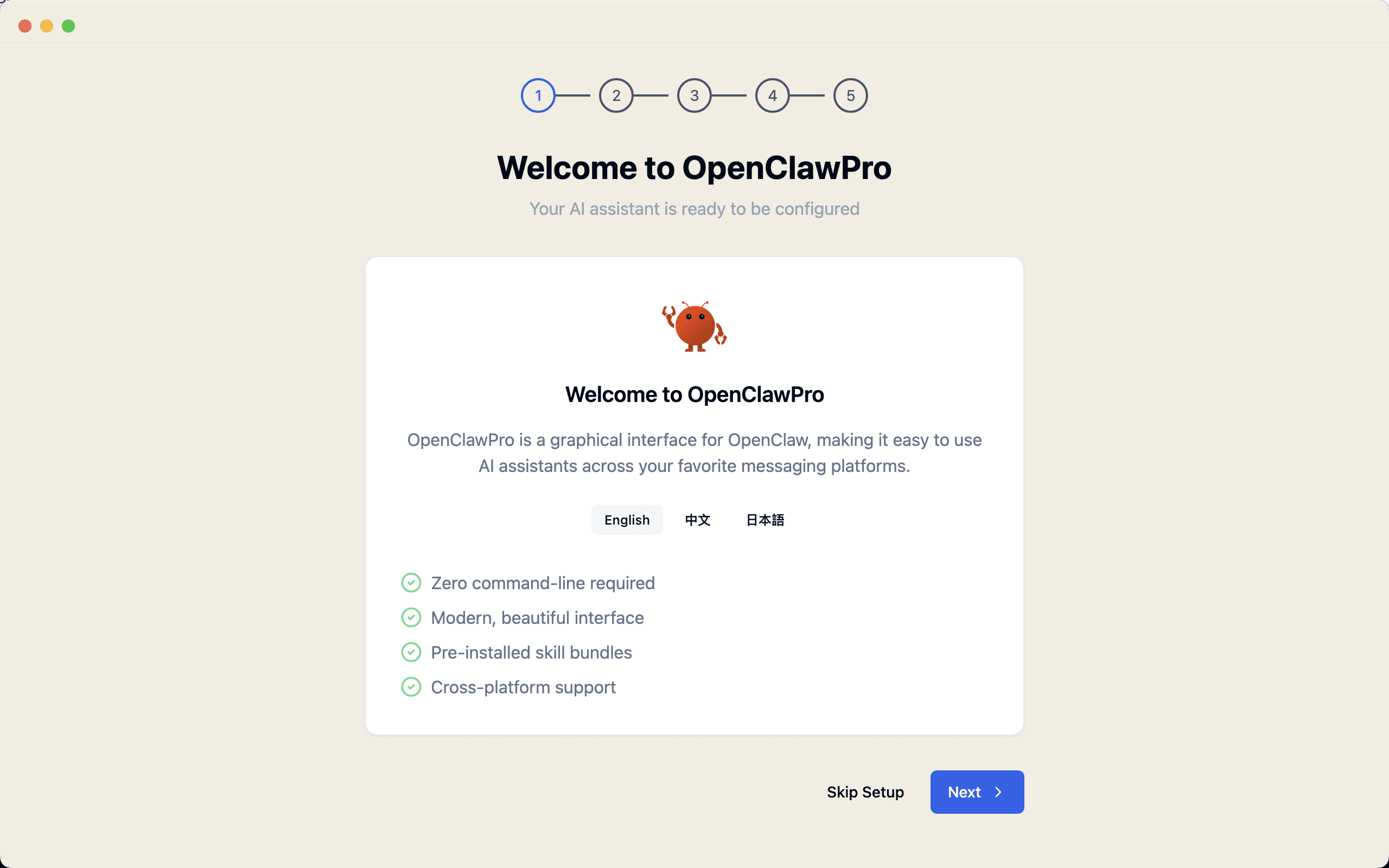
1. Choose Your Language and Region
The first step is simple. You select your preferred language and region and move into setup.
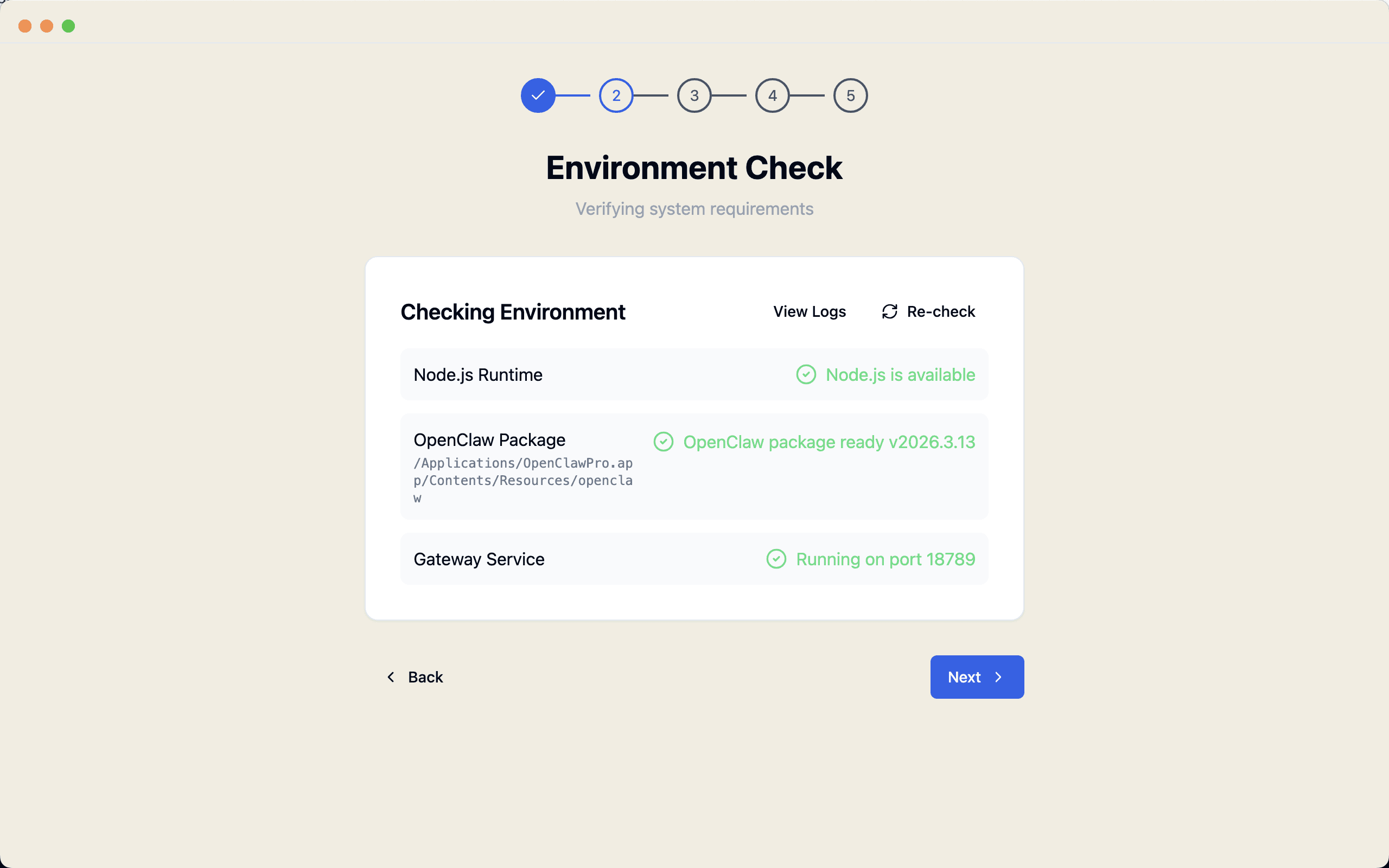
2. Run an Environment Check
If anything required is missing, YourClaw Pro tells you directly and guides you through the next step. You do not have to manually figure out what is wrong or search for missing components on your own.
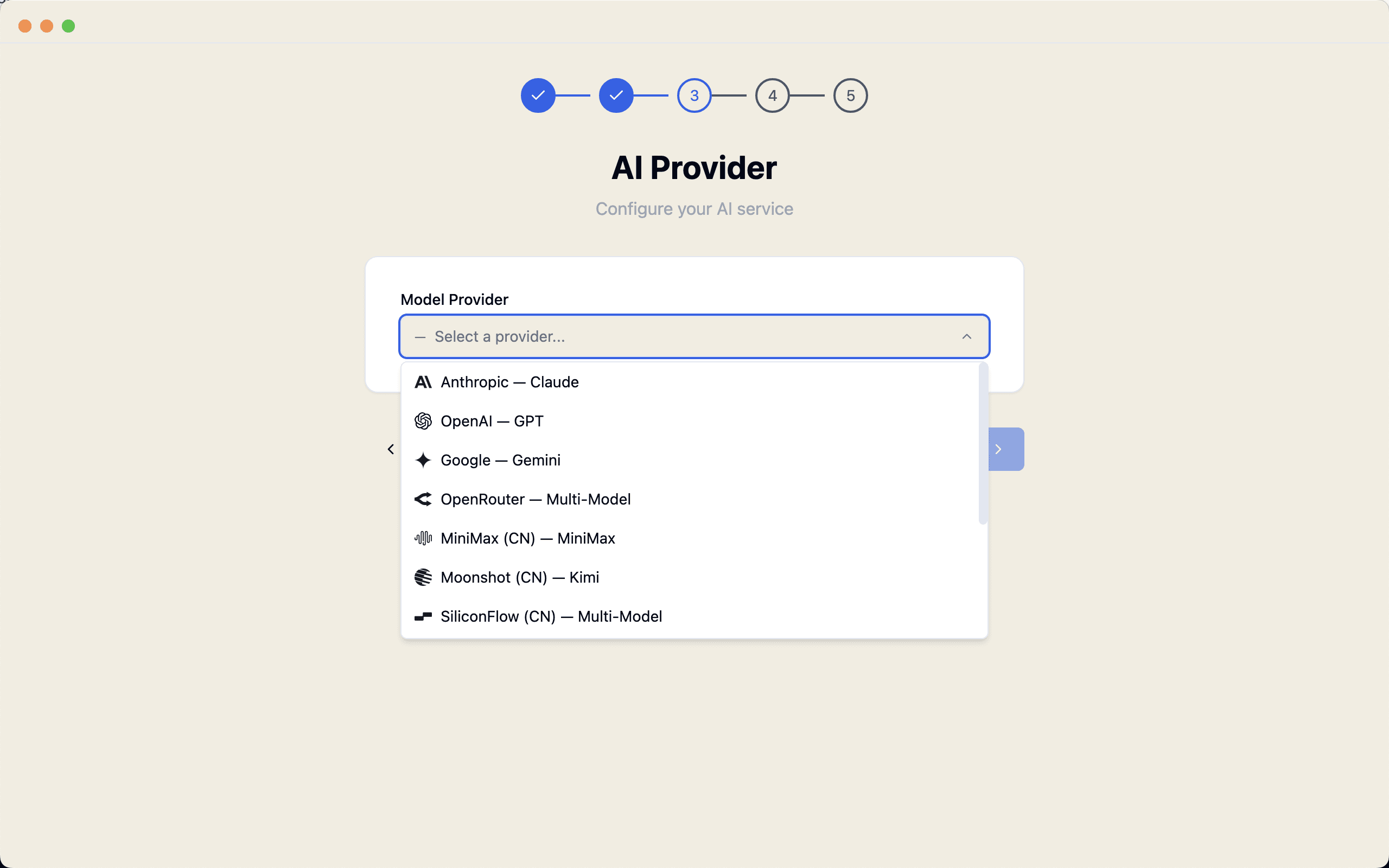
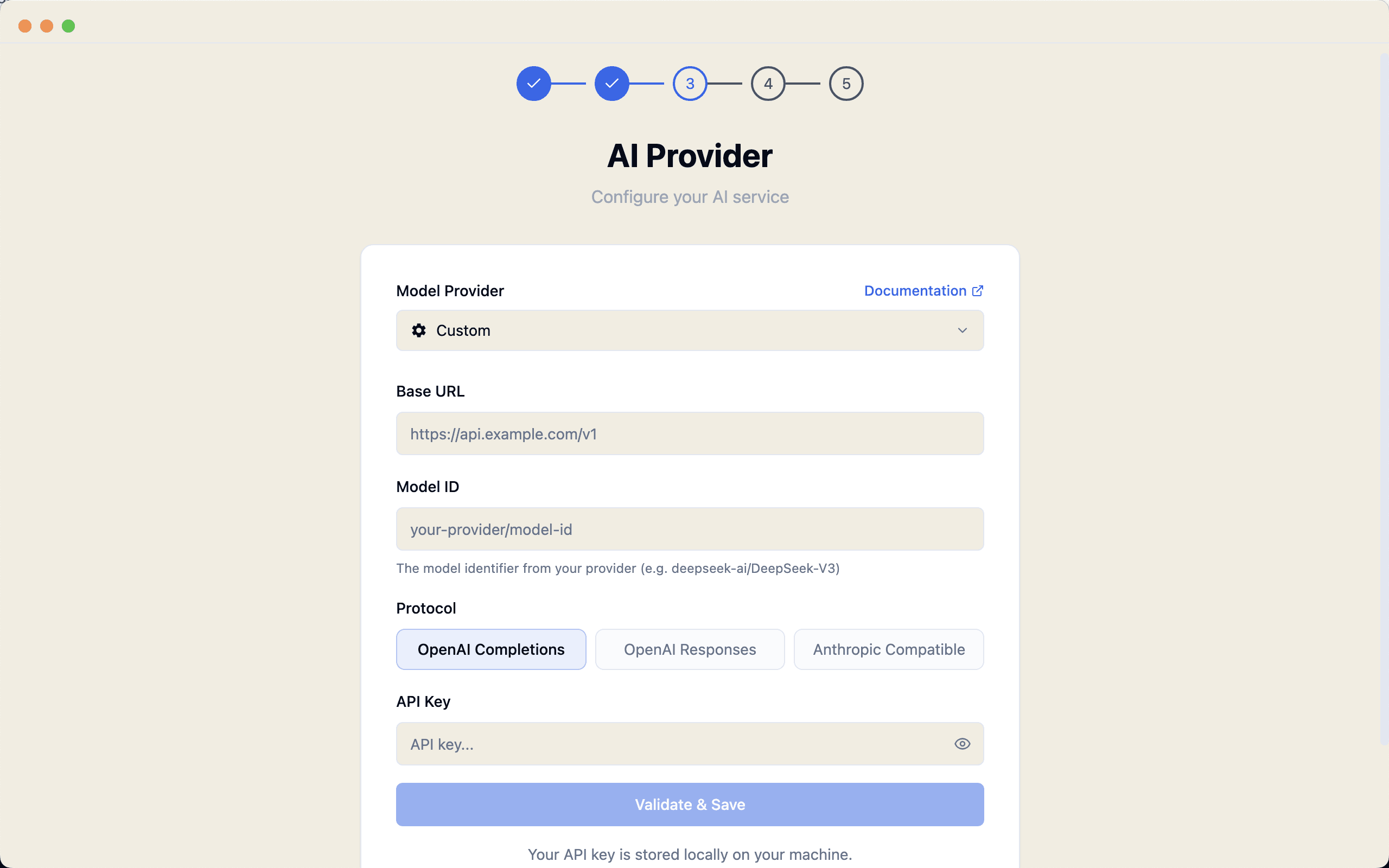
3. Add Your AI Provider
You can connect your preferred model provider by entering the URL, model ID, and API key. This keeps the system flexible and lets you work with the models you already use.
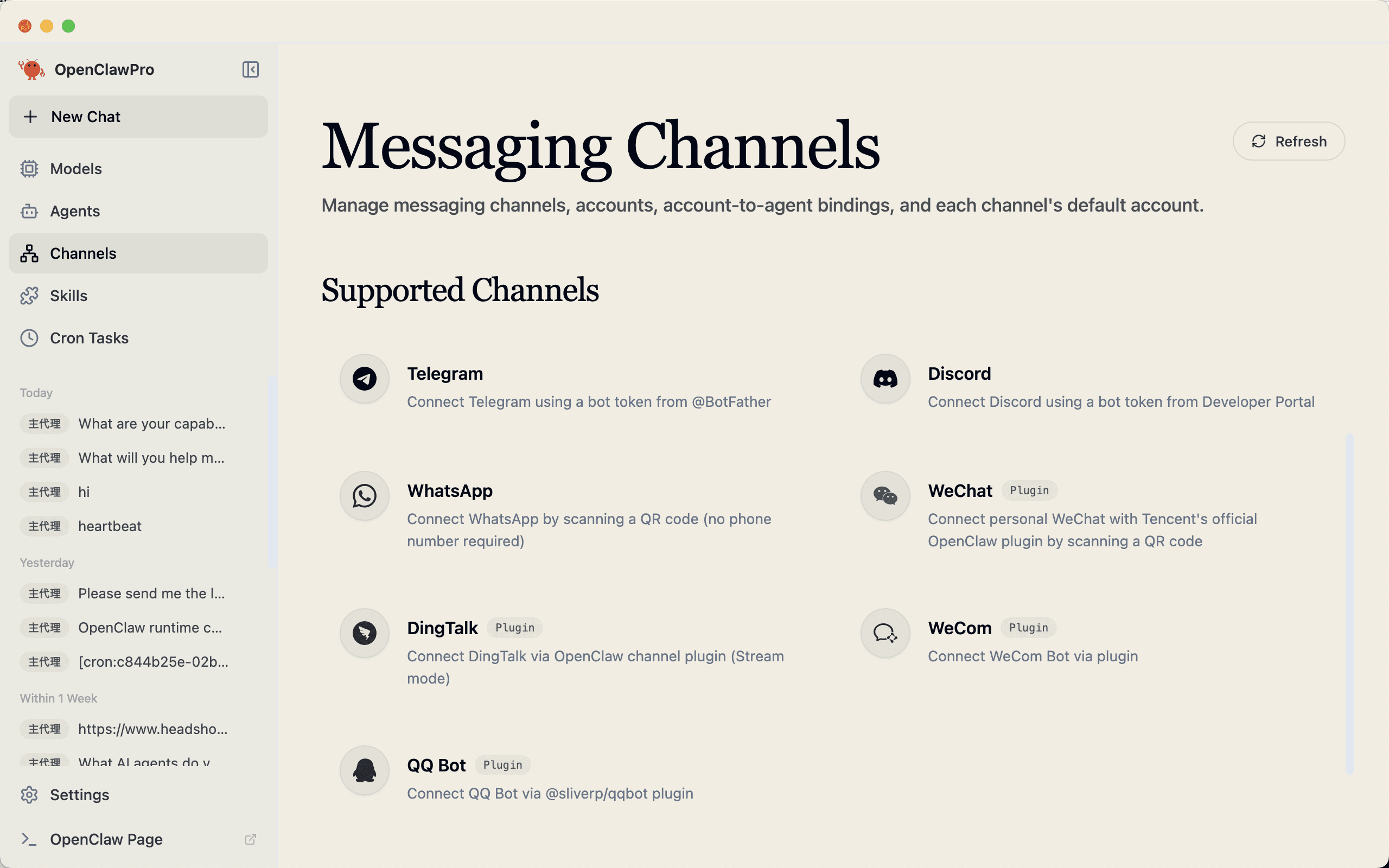
4. Connect Messaging Channels
If you want AI to notify you automatically, you can link messaging channels such as Telegram, Discord, WhatsApp, WeCom, WeChat, and Feishu. This makes it much easier to turn AI into something that works in the background and reports back when needed.

5. Install Essential Components
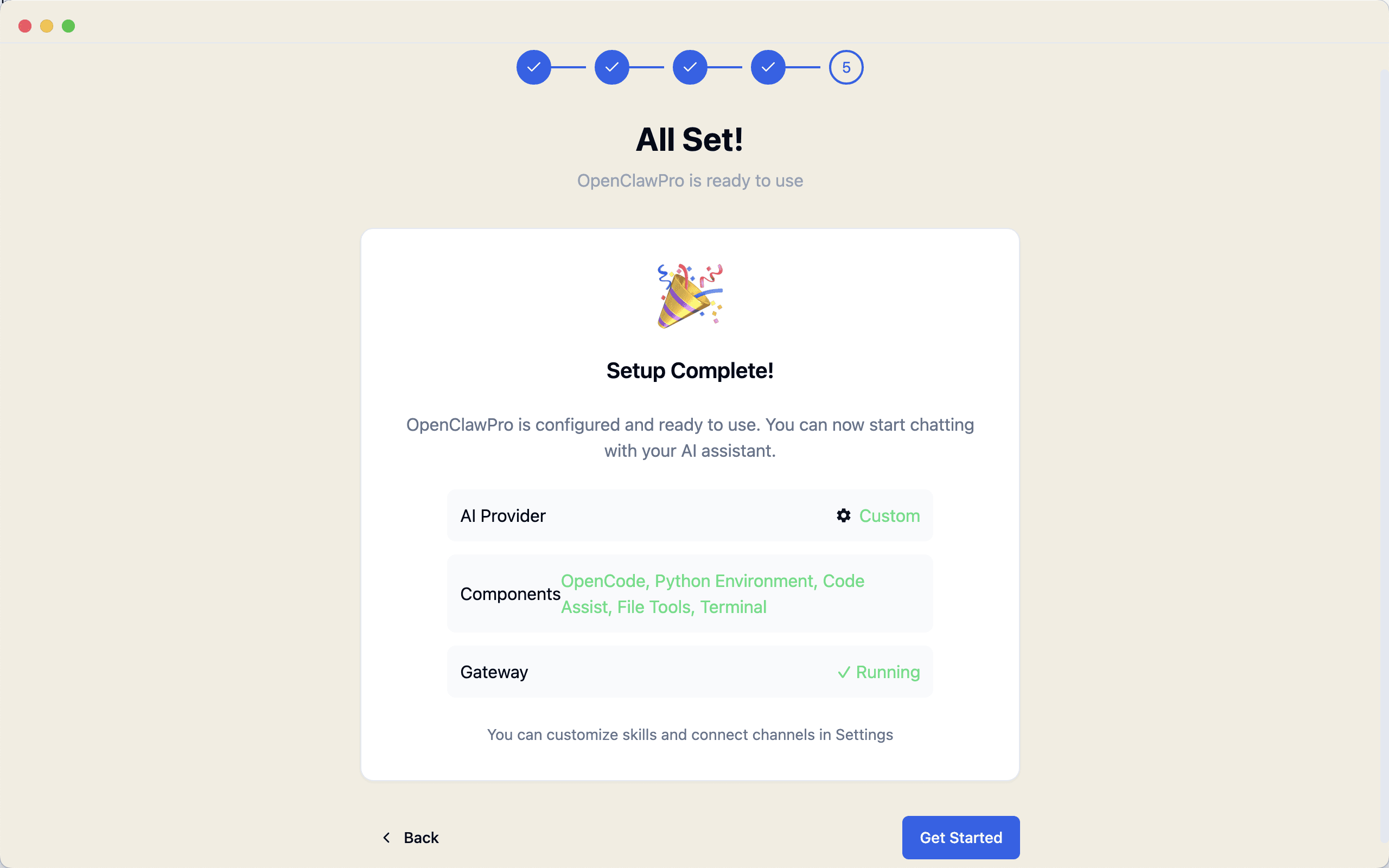
At the end of setup, YourClaw Pro checks and installs the components it needs. Instead of asking you to handle dependencies yourself, it turns that process into a simple guided step.
Chat With AI Like a Normal App
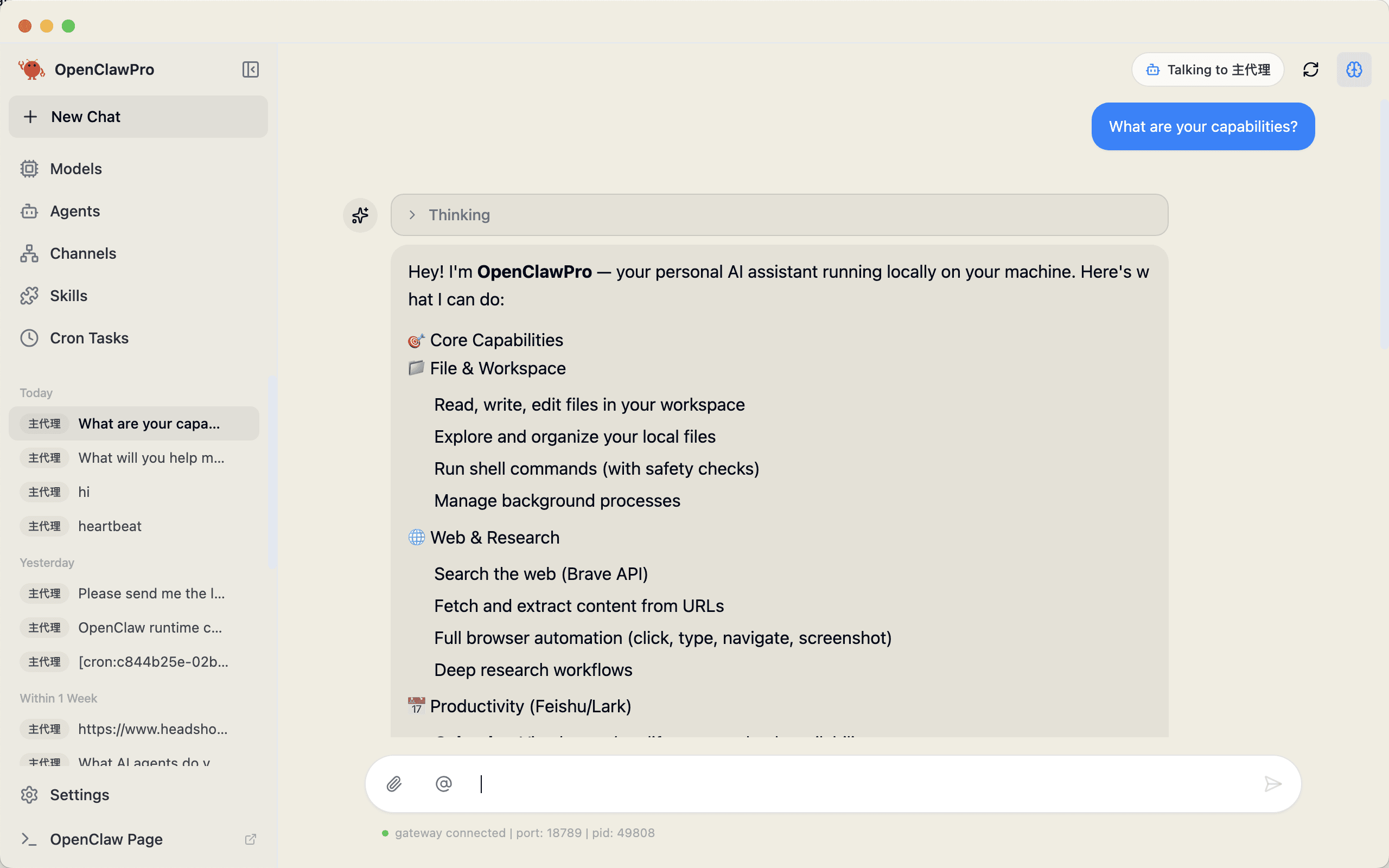
Once setup is done, YourClaw Pro becomes much more than a chat window.
The main interface feels familiar. You type a request, the AI responds, and your conversation history stays organized. It supports multi-turn conversations and even displays Markdown properly, including code, tables, and lists.
Create Scheduled Tasks Without Code
This is one of the most useful parts of the product.
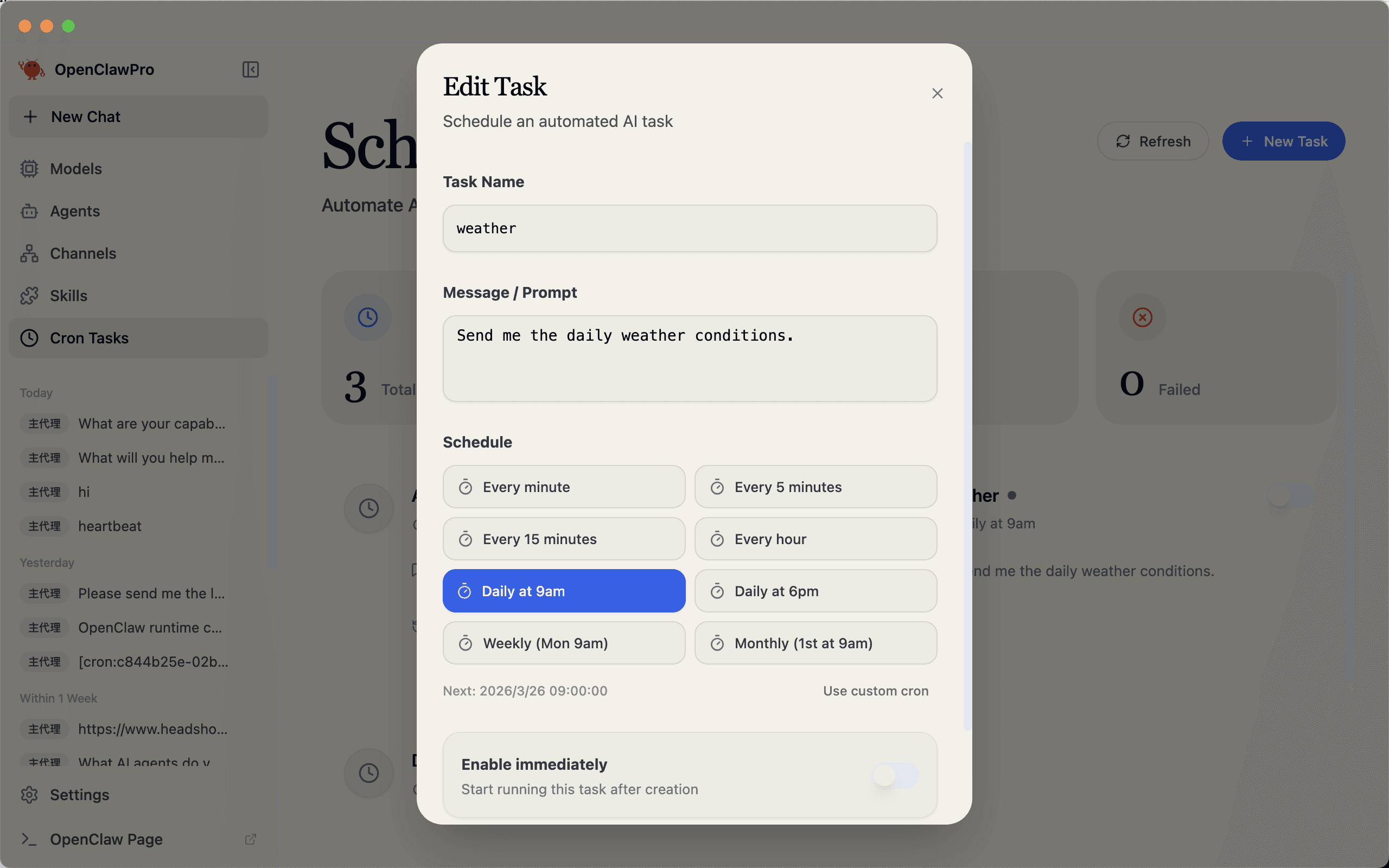
Instead of manually writing complex scheduling expressions, you can create recurring tasks through a visual interface. That means you can ask AI to work for you automatically throughout the day.
This turns AI from something you ask once into something that keeps working for you.
- summarize news every morning
- monitor a webpage every hour
- collect data and send updates automatically
- check market or trend information at night
Add New Abilities Through Skills
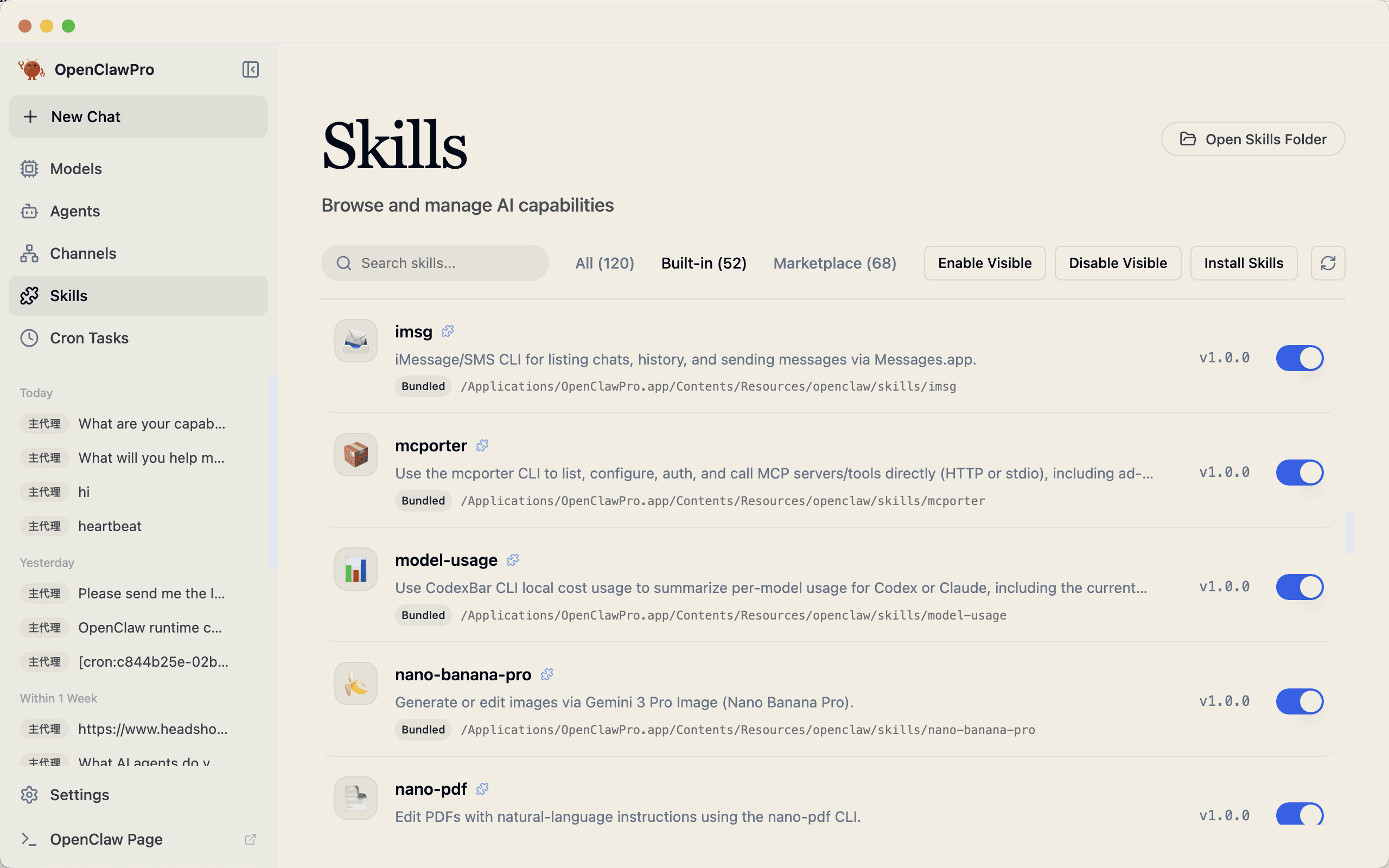
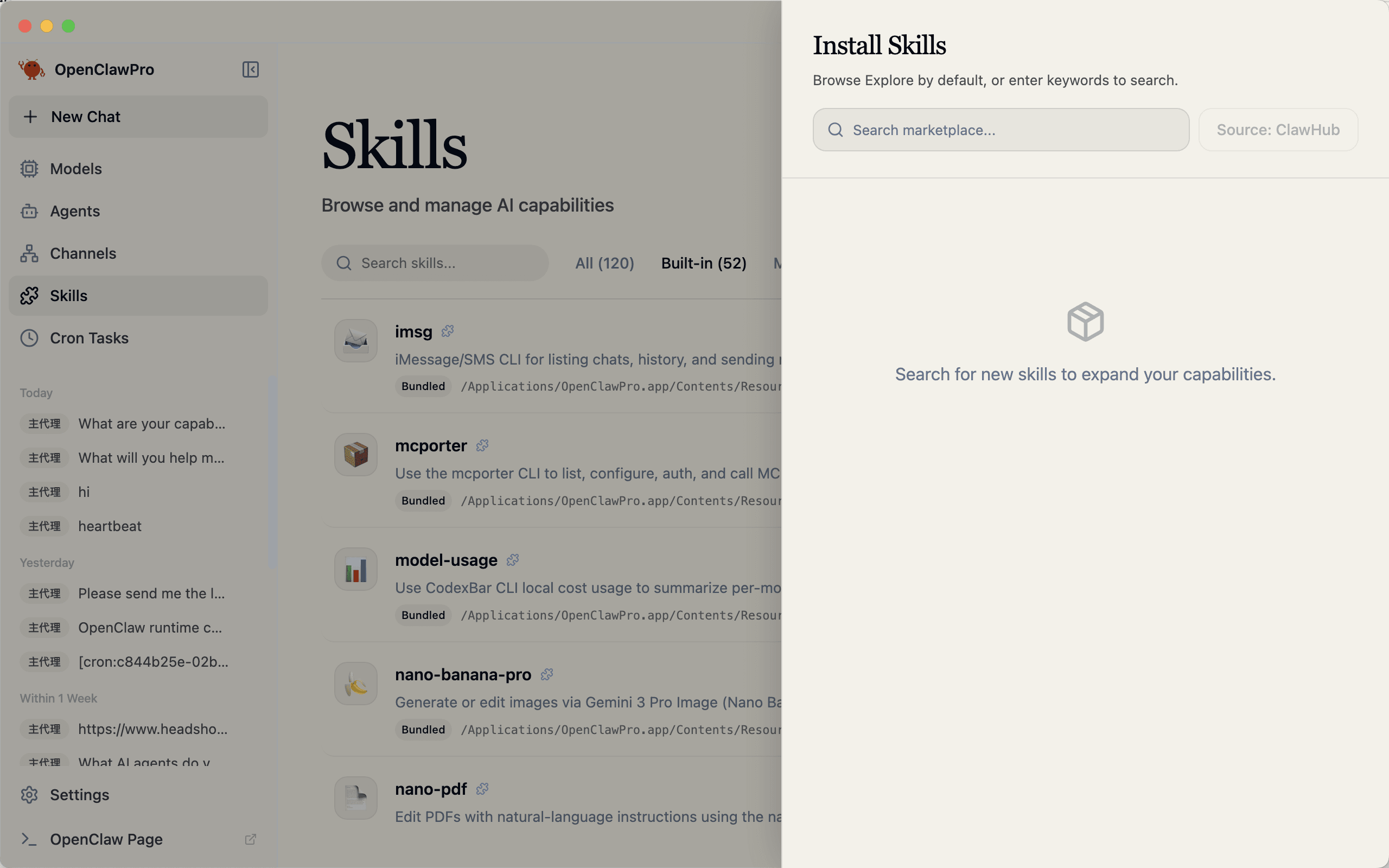
YourClaw Pro also includes a Skills center, which works a bit like an app store for AI capabilities.
You can browse skills, install them, and enable or disable them directly in the interface. Instead of dealing with npm packages or manual deployment steps, you simply click and extend what your AI assistant can do.
Practical Tips for Better Use
A few simple habits can make the experience much better.
Use a stable API provider so your model calls stay smooth and reliable.
Consider using different models for different jobs if you want better cost control.
And when setting scheduled tasks, avoid making them run too frequently unless you really need real-time updates. That helps keep usage efficient and avoids unnecessary costs.
Who Is It Best For?
YourClaw Pro is especially useful for people who want the power of AI agents without the technical overhead.
It makes sense for:
- beginners who want to try AI agents without learning terminal workflows
- professionals who want AI to monitor information and send updates automatically
- users who want a desktop-based AI assistant they can control more directly
- developers who want a more visual and convenient workflow for certain AI tasks
Why This Matters
The next step for AI is not just better answers. It is better execution.
Most people do not need another chatbot. They need a system that can actually help with ongoing work, automate repetitive tasks, and make information easier to manage.
That is what makes YourClaw Pro interesting.
It takes AI agent capabilities that often feel technical and hard to reach, and turns them into a desktop product that feels much more usable in everyday life.
Final Thoughts
YourClaw Pro helps bridge the gap between powerful AI agents and normal users.
From guided onboarding and model setup to chat, scheduled tasks, skills, and messaging integrations, it turns a complicated workflow into something much easier to understand and use.
If you want more than a chatbot, and you want an AI assistant that can actually keep working in the background, YourClaw Pro is a strong place to start.